
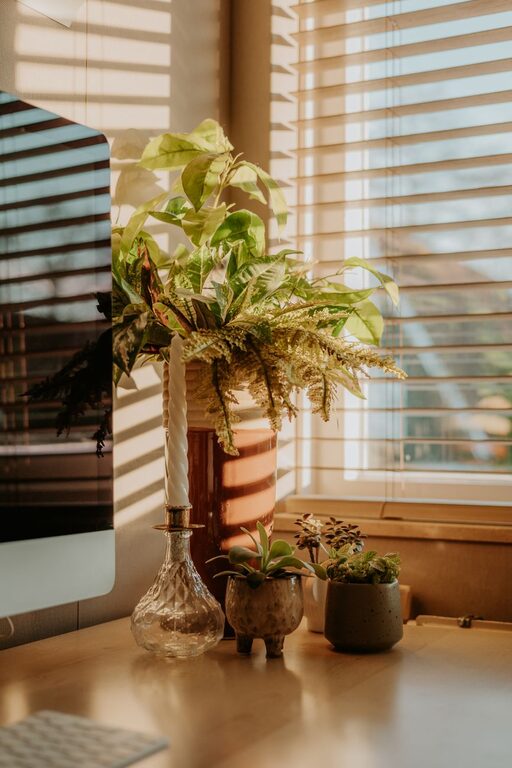
Creating a cozy and inviting home office space is essential for many people who work remotely, study, or pursue personal projects from home. When your workspace feels comfortable and personalized, it can help you stay motivated, focus better, and enjoy the time you spend working. Whether you have a dedicated room or just a small corner, there are simple yet effective ways to make your home office both functional and welcoming.
In this post, we’ll explore tips on how to design a cozy home office space that promotes productivity without sacrificing comfort.
1. Choose the Right Location
Finding the ideal spot for your home office sets the foundation for a productive environment.
– Natural light is key. Try to position your desk near a window to benefit from daylight. Natural light improves mood and reduces eye strain.
– Minimize distractions. Select a quiet area of your home that’s away from high-traffic zones, such as the living room or kitchen.
– Consider ergonomics. Your workspace should allow you to sit comfortably with good posture, so pick a spot where you can arrange furniture ergonomically.
Even a small nook with good lighting and minimal interruptions can work well.
2. Invest in Comfortable and Supportive Furniture
Comfort is crucial when you spend hours working at your desk.
– Ergonomic chair. Choose a chair with adjustable height, lumbar support, and padding. Comfort reduces back and neck strain.
– Appropriate desk. Pick a desk size that fits your space and allows room for your computer, notebook, and other essential tools.
– Add a footrest. If your feet don’t comfortably reach the floor, a small footrest can improve posture.
Comfortable furniture helps you stay focused without discomfort.
3. Use Soothing Colors and Textures
Colors and textures influence how relaxed and inspired you feel.
– Choose calming colors. Soft neutrals like beige, light gray, or pastel shades can create a peaceful atmosphere.
– Add warmth with materials. Incorporate natural textures like wood, wicker baskets, or a soft area rug.
– Personalize with textiles. A cozy throw blanket or cushioned seat adds both comfort and visual interest.
A harmonious color palette makes the space inviting without being distracting.
4. Incorporate Proper Lighting
Good lighting is essential for productivity and preventing eye fatigue.
– Task lighting. Use a desk lamp with adjustable brightness and direction for focused work.
– Ambient lighting. Layer your lighting with ceiling lights or floor lamps to create a warm glow.
– Avoid glare. Position your computer and lights to prevent harsh reflections on screens.
Adjust lighting throughout the day to maintain comfort and visibility.
5. Organize and Declutter Your Space
An organized desk helps keep your mind clear and reduces stress.
– Use storage solutions. Drawers, shelves, and filing cabinets keep papers and supplies out of sight.
– Declutter regularly. Remove items you don’t use daily to maintain a tidy work area.
– Keep essentials nearby. Store frequently used tools within arm’s reach to streamline your workflow.
Organization supports an efficient and pleasant work environment.
6. Add Personal Touches and Greenery
Make your home office a space you enjoy spending time in by adding personality.
– Display meaningful items. Family photos, artwork, or inspirational quotes can boost motivation.
– Include plants. Adding one or two houseplants improves air quality and adds natural beauty.
– Use scents. A subtle scented candle or essential oil diffuser can create a soothing ambiance.
Balancing personal touches ensures your space feels uniquely yours.
7. Create Zones for Different Activities
If space allows, set up different areas to support various tasks.
– Work zone. This includes your desk and primary tools.
– Reading or brainstorming corner. A comfy chair with a small side table helps for thinking and breaks.
– Storage zone. Dedicated shelves or cabinets keep extracurricular items organized.
Zoning helps you mentally separate work from relaxation within your office.
8. Manage Cables and Technology Efficiently
A tangled mess of cords can be distracting and unsafe.
– Use cable organizers. Clips, sleeves, or boxes help hide wires neatly.
– Wireless devices. Consider wireless keyboards, mice, and chargers to reduce clutter.
– Keep gadgets updated. Reliable technology prevents frustrations and downtime.
A clean tech setup contributes to a streamlined work experience.
9. Prioritize Comfort Breaks
Design your office to encourage healthy work habits.
– Keep water nearby. Staying hydrated is important for focus.
– Include reminders. Use timers or apps to prompt short breaks for stretching.
– Incorporate comfortable seating. Having a spot to step away from your desk supports mental rest.
Comfort breaks improve overall productivity and wellbeing.
—
Designing a cozy and inviting home office doesn’t require a complete overhaul. By thoughtfully combining comfort, organization, and personal touches, you can create a space that encourages productivity and feels like your own peaceful haven.
Take the time to experiment with different layouts, colors, and decor until you find what works best for you. When your home office feels comfortable and welcoming, work becomes a more enjoyable and rewarding part of your day.